Improving Accessibility with AI: Tools and Innovations Making Life Easier
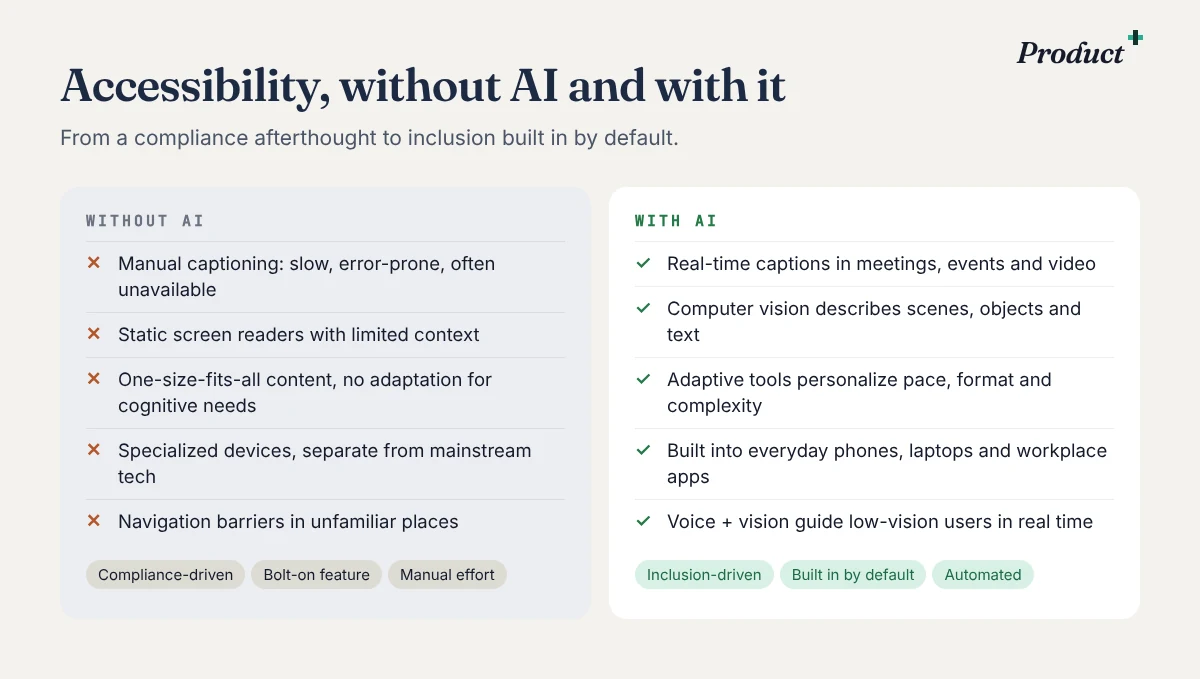
AI is turning accessibility from a compliance afterthought into something built in by default. Here's what's working, where it falls short, and how to start this week.
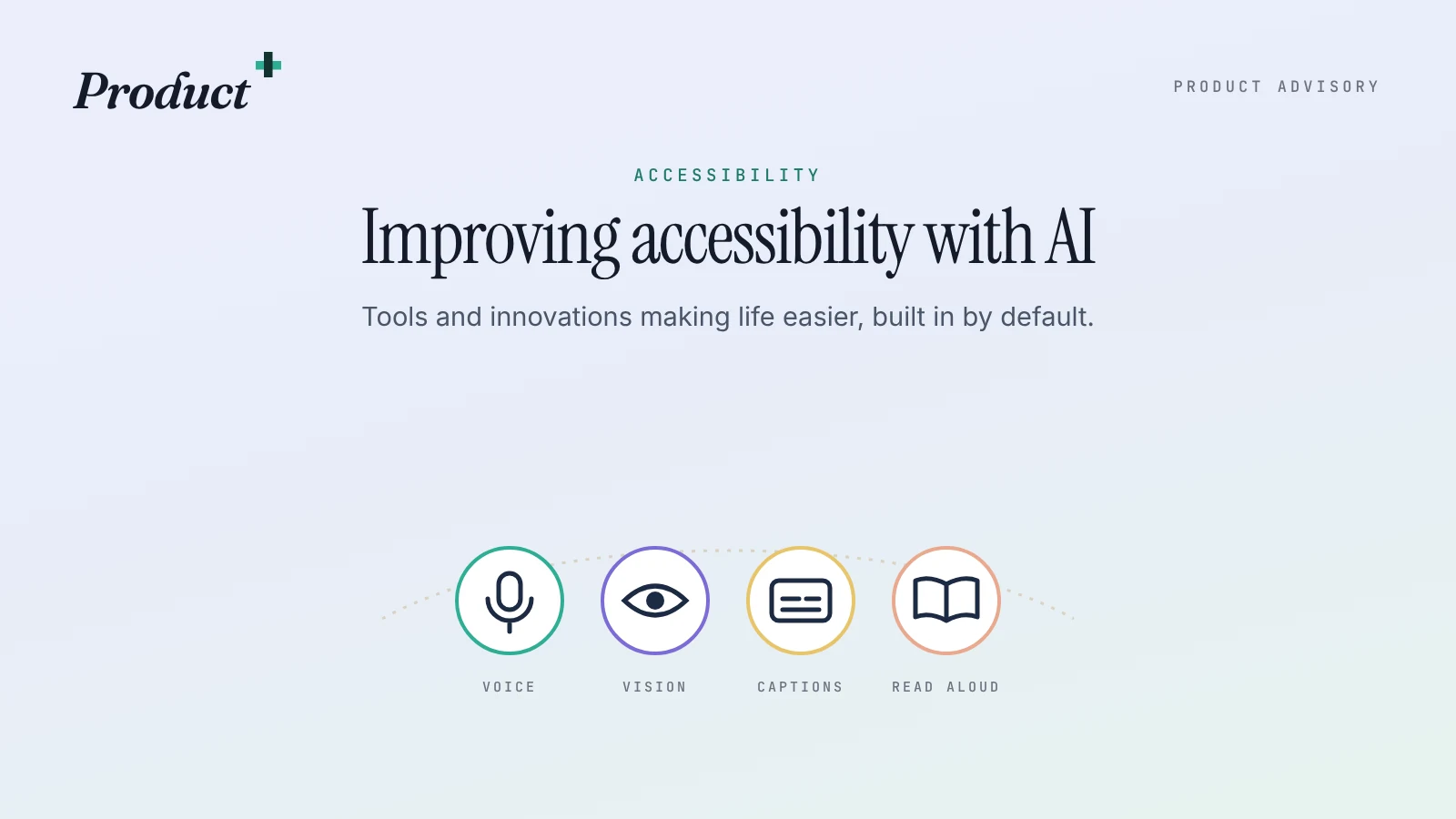
Accessibility is one of the most meaningful areas where artificial intelligence is making a real difference. For years, digital accessibility was often treated as a compliance requirement or a technical afterthought. Today, AI is helping shift that mindset. It is creating experiences that are more inclusive, more adaptive, and more human-centered from the start.
As someone who works closely with products and user experience, I see accessibility not as a niche feature set, but as a core part of building better solutions. When products are designed to meet people where they are, they become easier to use for everyone. AI is accelerating that progress in practical ways that are already changing daily life.
Where AI is already making a difference
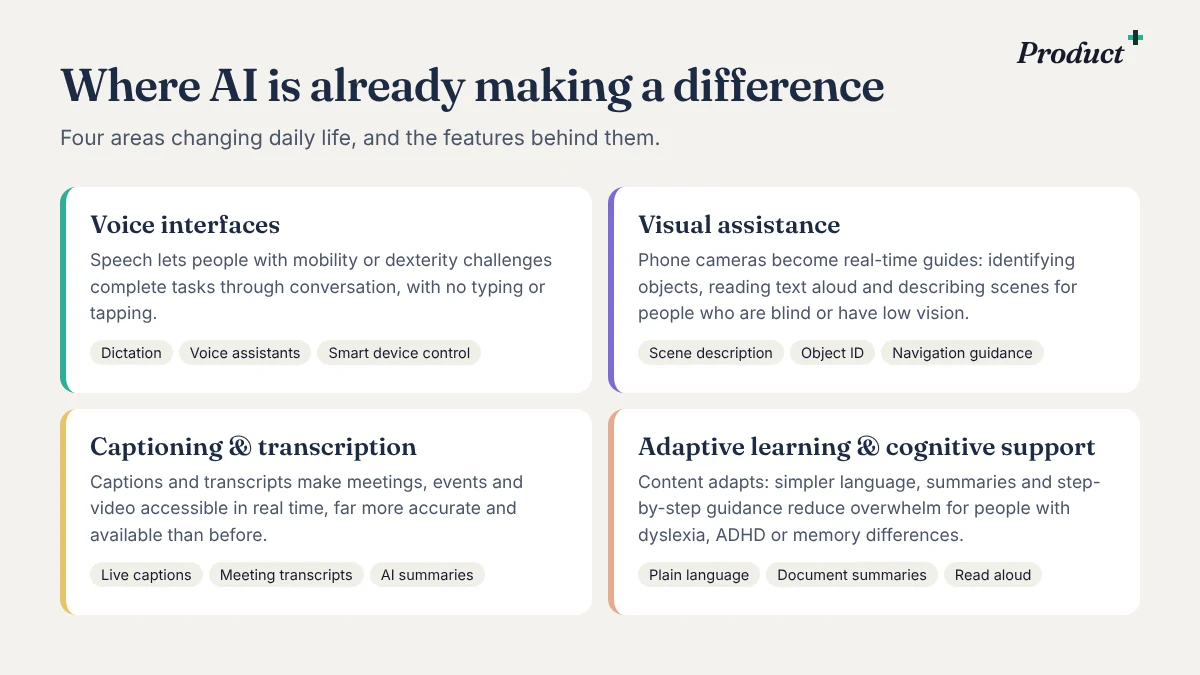
Voice interfaces
Speech-powered interfaces have improved dramatically in recent years, making it easier for people with mobility limitations, dexterity challenges, or visual impairments to interact with devices and services. Tasks that once required typing, tapping, or navigating dense menus can now be completed through natural conversation. Voice assistants, dictation tools, and speech-to-text platforms are helping users send messages, control smart devices, search for information, and complete work more independently.
Visual assistance
AI is also transforming access for people who are blind or have low vision. Assistive apps can now identify objects, read text aloud, describe scenes, and even help users navigate unfamiliar environments. A smartphone camera combined with computer vision can become a powerful support tool, turning visual information into spoken guidance in real time. This is not just a technical advancement. It is a meaningful step toward greater confidence, autonomy, and participation in everyday life.
Captioning and transcription
For people who are deaf or hard of hearing, AI-driven captioning and transcription have become much more accurate and widely available. Live captions in video calls, recorded content, and in-person events are improving communication in both professional and personal settings. Real-time transcription can make meetings more inclusive, while AI-supported translation and summarization further reduce barriers for people navigating several communication needs at once.
Adaptive learning and cognitive support
AI can personalize how information is presented based on a person's needs, preferences, and pace. This helps users with dyslexia, attention-related challenges, memory issues, or other cognitive differences engage with content in ways that are more manageable and effective. Tools that simplify language, summarize long passages, read content aloud, or guide users step by step are making digital experiences less overwhelming and more empowering.
Accessibility is moving into mainstream products
What makes this moment especially exciting is that accessibility innovation is no longer limited to specialized devices. Many AI-powered accessibility tools are being embedded directly into mainstream products. Phones, laptops, browsers, workplace software, and consumer apps increasingly include live transcription, image description, predictive text, and voice control as standard capabilities. That matters because true accessibility scales when inclusive design becomes part of everyday technology, not a separate category.
AI is an enabler, not a shortcut
AI is not a perfect solution on its own, and product teams still need to design responsibly. Accessibility cannot rely entirely on automation. Voice systems can still struggle with accents or speech patterns. Image recognition can miss context. Captions can introduce errors. Inclusive products require testing with real users, thoughtful design decisions, and a commitment to improving outcomes over time.
Build with transparency and flexibility in mind. Users need to understand what the AI is doing and where it may still have limitations. Captions, voice commands, summaries, and scene descriptions should be easy to turn on, adjust, or correct. Accessibility is strongest when users stay in control of their experience.
How to get started
The best approach is to begin with real user needs rather than the technology itself.
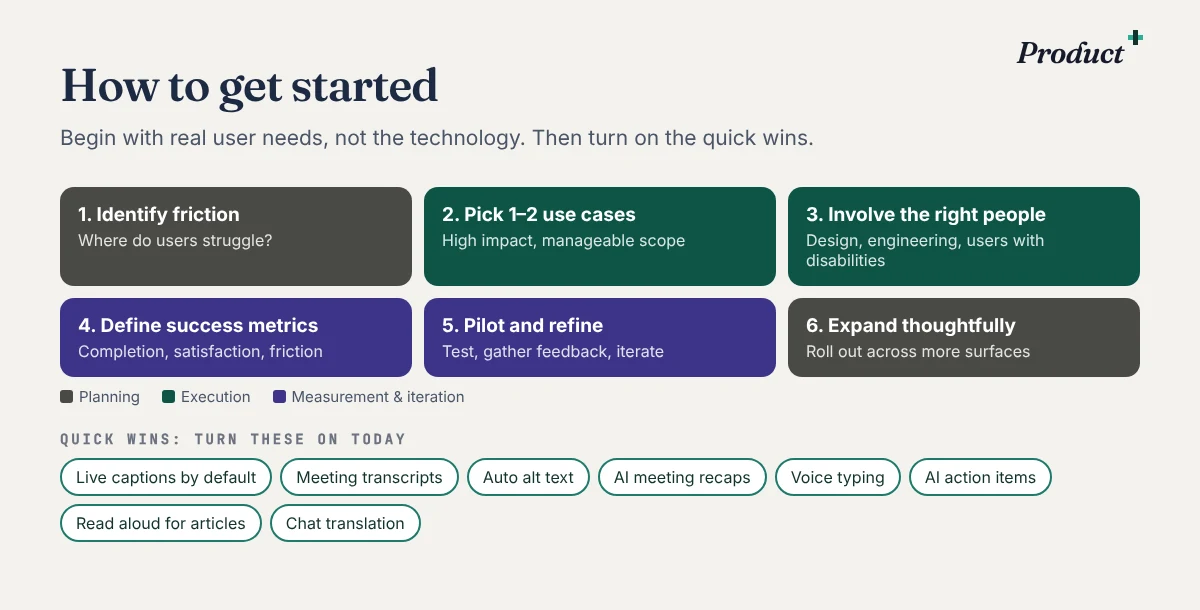
- Identify the friction. Look at where users may struggle to read, hear, navigate, respond, or understand information. Accessibility gaps often become clear when you observe how people actually use a product in the real world.
- Pick one or two high-impact use cases. Better voice input, improved captions and transcripts, image descriptions, or AI-assisted reading support. Starting small helps teams learn faster and build confidence without trying to solve everything at once.
- Involve the right people early. Product, design, engineering, legal, support, and accessibility specialists should all have a voice. Most importantly, include people with disabilities in research, testing, and feedback loops. The most effective accessibility solutions come from listening to the people they are meant to support.
- Define success metrics. Lower task abandonment, faster completion, better comprehension, higher satisfaction, or improved usability for specific groups. Judge AI accessibility features not only by technical performance, but by whether they genuinely reduce friction and increase independence.
- Pilot and refine. Test with a diverse group of users, gather feedback, and refine quickly.
- Expand thoughtfully. Once a feature proves useful, roll it out across more workflows and surfaces, so accessibility becomes part of the product rather than a one-time release.
Quick wins you can turn on today
In many cases, the first step is even simpler than that. Some of the most useful accessibility improvements need no implementation plan at all. You can often just turn them on:
- Live captions by default for virtual meetings and webinars.
- Meeting transcripts and summaries (Teams meeting summaries, Slack huddle notes), so conversations are easy to review for anyone who couldn't attend and important details are searchable later.
- AI recaps after customer calls, so account, support and leadership teams stay aligned without asking people to repeat themselves.
- AI-generated action items after meetings, so next steps don't depend on who took notes.
- Automatic alt text suggestions for knowledge base images and shared presentations.
- Document summaries for long policy updates, project briefs and technical write-ups.
- Read aloud for knowledge articles and learning content.
- Translation in chats, documents and collaboration tools for multilingual teams.
- Voice typing, suggested replies and smart formatting for people who process, write or communicate differently.
- Public channels where appropriate, so decisions, context and follow-ups are visible to the whole team.
The bigger point is that accessibility is not always about building something entirely new. Often it is about being intentional with the tools already available. Used thoughtfully, these features improve inclusion while making work more efficient, more transparent, and easier to navigate for everyone.
Accessibility as innovation, not obligation
The biggest opportunity for product leaders and builders is to approach accessibility as innovation, not obligation. When we invest in tools that help more people access information, navigate systems, and communicate effectively, we build products that are more resilient, more useful, and more human. AI gives us new ways to remove friction and create independence, but the real impact comes from the intent behind the technology.
Accessibility is not just about accommodating limitations. It is about expanding possibility. AI is helping do exactly that, and the products that embrace it thoughtfully will shape a more inclusive future for everyone.
Questions people ask
How does AI improve accessibility?
Speech-powered interfaces help people with mobility, dexterity or vision challenges; computer vision describes scenes and reads text aloud; live captions and transcripts support people who are deaf or hard of hearing; and adaptive tools simplify, summarize and pace content for cognitive differences.
Can AI replace accessibility testing?
No. Voice systems still struggle with some accents and speech patterns, image recognition can miss context, and captions can introduce errors. Test with real users, including people with disabilities, and treat AI as an enabler, not a shortcut.
Where should a team start with AI accessibility?
With real user needs: find where people struggle to read, hear, navigate, respond or understand. Pick one or two high-impact use cases, involve the right people early, define success metrics, pilot, and expand thoughtfully.
What AI accessibility features can we turn on today?
Live captions by default in meetings, meeting transcripts and AI summaries, automatic alt text suggestions, read aloud for articles, translation in chat and documents, voice typing, and AI-generated action items after meetings.
Putting this into practice
How Product Advisory helps teams with this: